
Why Hire a PPC Manager When AI Can Run My Ads?
My honest take, after 17 years of running them.
Sean Dolan has run paid ads since 2009, on accounts spending from $2,500 to more than $300,000 a month.
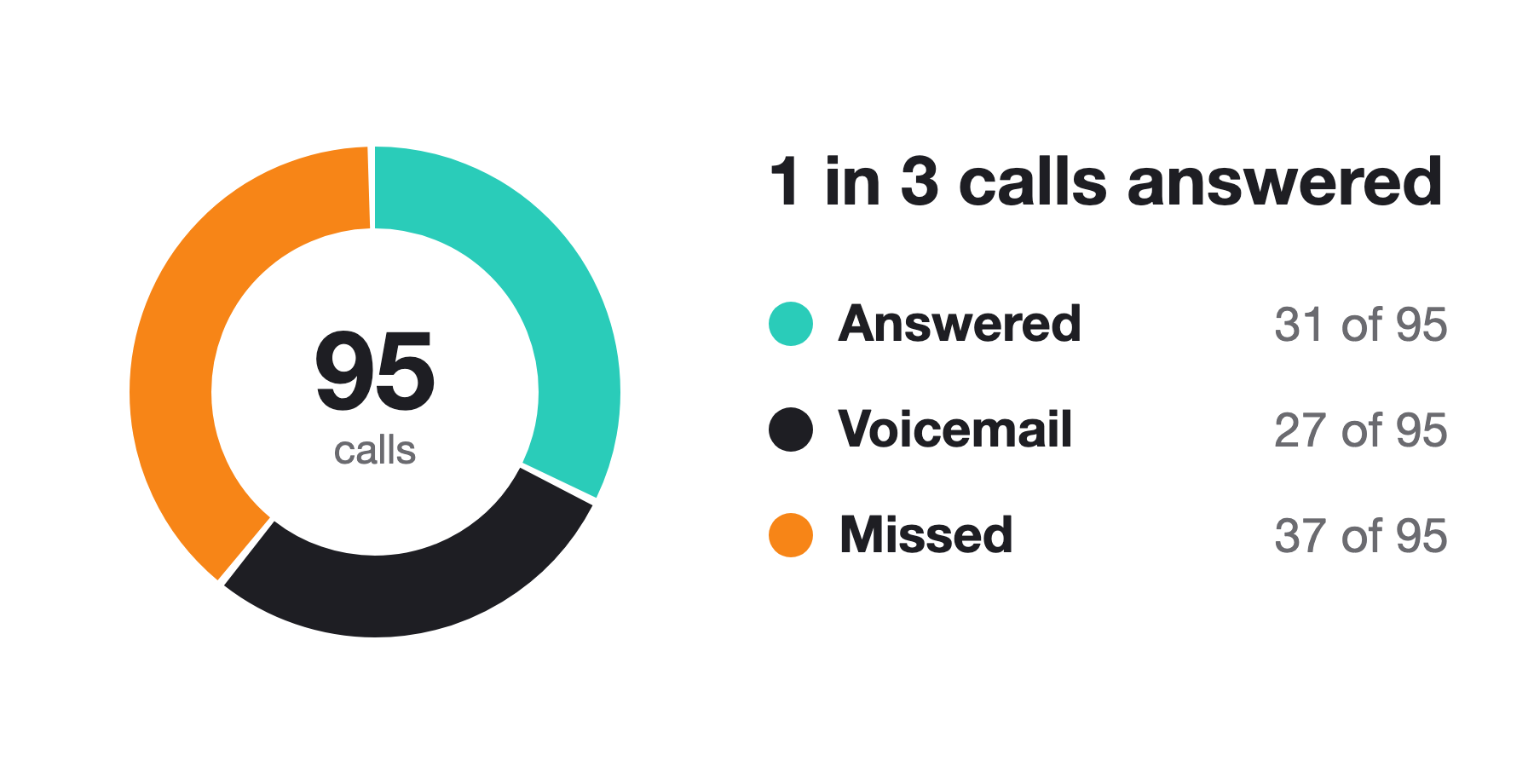
Twenty-five to 35 minutes. That’s how long the receptionist at an electrician client’s office was spending on some calls. Talking about people’s kids, their schools, the neighborhood. She was lovely. Meanwhile, two or three other callers who needed an electrician couldn’t get through. Some reached voicemail. Others didn’t even get that far. It was costing them $700 to win a customer who should have cost $300.
The client called us and said the Google Ads leads weren’t any good. Everything looked healthy in the ad account, so we looked past the click. We routed the calls through our CRM, the system we use to track leads, and started recording and reviewing them. That’s when we heard how much time the receptionist was spending with each caller.
So, why hire a PPC manager when AI can run your ads? Because somebody has to follow your money past the click and answer for whether it comes back.
AI has raised the standard we have to meet to deserve your money. It has also made the best even better, and the competition a lot tougher.
Stay with me and you’ll get the seven checks I’d run on your account, and six questions to ask any manager, including me.
I run an agency. Of course I have a stake in this. Hold me to the same standard: ask me to show you what happens between paying for a click and getting paid by a customer.
This played out over about two months. The measured close rate went from one customer for every 14 leads to one for every six. At $50 a lead, that’s $700 in advertising to get a customer versus $300. Same cost per lead. Those figures show how much the improvement mattered, although they don’t tell us how much came from each individual change.

“AI can do a lot of what a PPC agency does.”
It can. And an expert marketer using AI can do a lot of what used to take an entire marketing department.
That leaves two jobs to account for: bringing the right people to the business, and making sure the business can turn those inquiries into customers. AI can help with both. Someone has to connect them.
In the current state, I wouldn’t count on an AI review of an ad account to uncover those long phone conversations. The evidence was in the calls. We had to go get it.
Better information makes the automation better.
One client prints everything and works off pen and paper. He found the CRM confusing and asked for a simpler way to update his leads. We gave him options. He chose a form on our website, and we built it within the week.
He enters the person’s phone number or email and the relevant case information. That updates the lead’s record. From there, our automation sends the appropriate information back to Google.
Here’s why that matters. A form fill tells you somebody contacted the business. It doesn’t tell you whether they need the service, qualify for it or eventually become a customer. We work with the client to define a qualified lead, record those outcomes and feed them back into the advertising.
Google can then bid toward the outcomes we’ve chosen, while ordinary inquiries remain available in the reporting.
We’d used automated bidding before. What changed was the information it had to work with.
The simple form matters just as much as the connection to Google. If the client won’t use the process, the information never gets entered. We’re building around how he works so he can be more successful with us.

The fingerprint of your funnel.
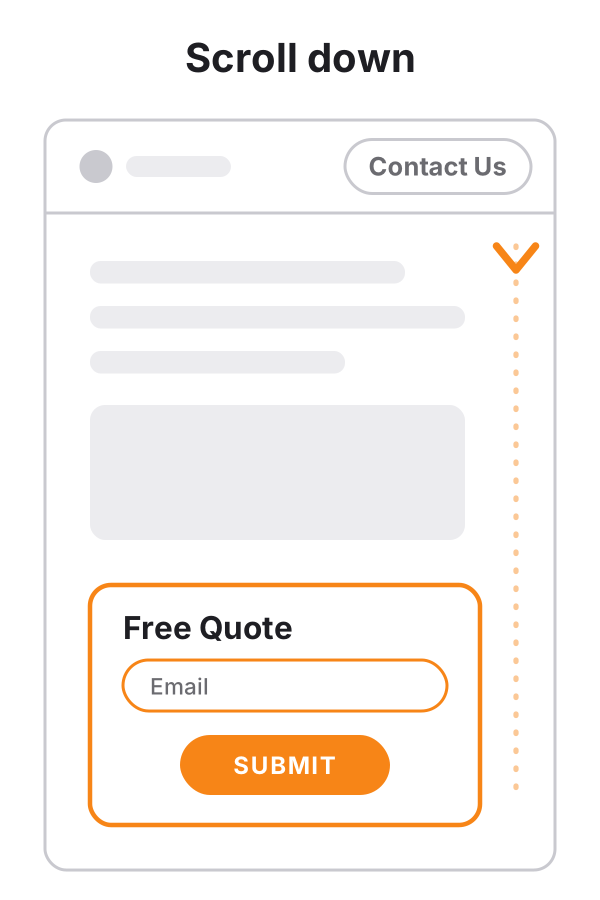
Another electrician client’s conversions dropped after its website had been built quickly with AI coding tools. If you scrolled to the bottom, the form worked. If you clicked Contact Us at the top, the button took you to a form that no longer worked. Testing hadn’t caught that route. That stretch went on for nearly three months. My estimate of the sales lost in it is about $90,000.
The cause was outside the ad account.
“But AI can check forms too.”
It can. Ours does. We have AI fill out forms regularly and monitor whether the submissions arrive. If they don’t, we get an alert. But testing the form alone wouldn’t catch the button problem. Clicking that button has to be part of the test, which it is now.
Every business has a fingerprint: its website, its lead system, its phones and the connections between them. A test that covers one setup can miss something in another. Sure, somebody can build a bot for that exact failure. Hindsight’s 20/20. Somebody has to know which paths to include.
We build those checks around the client’s actual business. The system needs to remember how their leads arrive, what qualifies them and what has broken before. We can change the AI model we use without starting over on that understanding.
Some of our clients work in regulated fields like law. Their private communications don’t go through cloud AI. That work runs on local LLMs, models that run entirely on our own hardware, so nothing is sent to an AI company.
Fixing the page is only part of the job. You also have to understand what the failure did to the numbers. A broken form can stop real inquiries. Broken tracking can hide inquiries that actually happened. Both can look like falling conversions in the report.
For tracking failures, Google provides data exclusions, which let you keep affected data out of automated bidding. The first step is identifying what failed and when. You don’t want to make decisions about the quality of your advertising using a period when the measurement wasn’t working. Google’s data-exclusion guidance
We’re applying the same attention to new channels. We’re running ads inside ChatGPT for a law firm. They’ve produced on-target leads, and the client chose to increase the budget. The dataset is small, but we’re happy with the early results.
The same advice is available to your competitors.
In a home-services account, we set budgets for each trade according to how many crews were available. We raised bids when hotter weather changed demand. Those decisions depended on knowing what the business could handle.
That’s where I think the advantage will be as more advertisers use AI.
Here’s my prediction: if ten competing businesses ask the same AI to build a campaign with similar instructions, they’ll get similar starting ideas. They’ll pursue many of the same searches with similar offers. Everybody gets a campaign. Nobody gets much of an advantage from the generic advice alone.
I haven’t measured that effect. Their actual bids will differ because the accounts have different data. But more businesses competing for the same clicks can benefit the platform selling them. Google’s auction explanation
A manager has to bring information the competitors don’t have: your margins, your capacity, which leads close and what those customers buy. Then use AI to do something useful with it.
And check its work.
How many times has AI been wrong? How many times have you asked whether it was sure, only for it to admit it wasn’t? I feel like everyone’s been in that situation. It applies to your own data and strategies, too.
On OpenAI’s podcast in June 2025, Sam Altman said:


“What does Google currently say this bidding setting does?” needs current documentation.
“Will switching this client to it bring in more real customers?” needs the account, a definition of a real customer and a test.
Searching the web helps with freshness. It doesn’t prove the advice fits your business. A platform update doesn’t make every existing strategy wrong, either. The job is knowing which changes matter.
I learned on my own money.
Before opening the agency in 2009, I was a mobile DJ advertising my own services. I spent a year learning Google Ads for that business in my early twenties. I cut my teeth on my own budget and learned how much it mattered to narrow the focus, have a working website and answer the phone quickly.
Forms have been breaking without anybody noticing for as long as I’ve done this. I’m seeing familiar problems again in sites built quickly with AI tools.
If you’re a founder running your own ads because you have to, I respect that. Start by reading a book from beginning to end. You want the full picture of how Google Ads works, what affects your costs and where Google’s interests differ from yours.
That context helps you ask AI better questions. You’ll know which details to give it, what assumptions to challenge and when an answer has left something important out. Learning just enough to launch leaves you paying for the rest of your education through the account.
I’ve read these and recommend them:
- Advanced Google AdWords, Brad Geddes.
- Ultimate Guide to Google Ads, Perry Marshall, Mike Rhodes and Bryan Todd.
- Digital Marketing in an AI World, Frederick Vallaeys.
- Ponderings of a PPC Professional: Revised and Expanded, Kirk Williams.
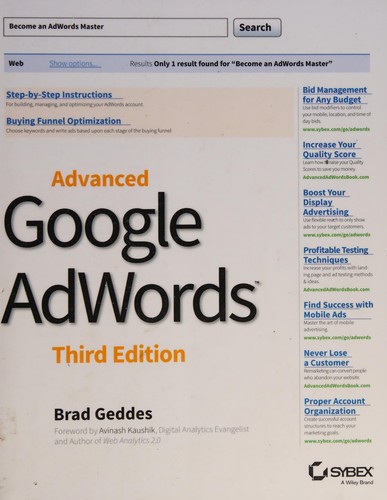
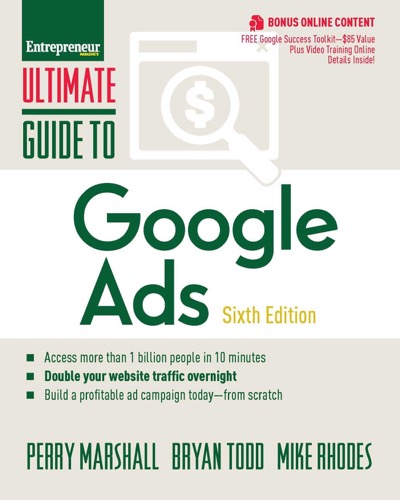
These include older books, but they give you a foundation. Check specific settings and procedures against current documentation.
Then here’s what I’d tell you to do.
Test the path a customer actually takes. On your phone, click the button, submit the form and confirm the lead arrives. Call the number and check the record. Use Microsoft Clarity’s session recordings to review how visitors move through your website and where they get stuck. Repeat your checks monthly and after site changes. Our electrician client showed why going straight to the form isn’t enough.
Tell Google what a real lead is. Write down your qualification criteria. Record which leads qualify and which become customers, then connect those outcomes to the bidding goals. Our pen-and-paper client needed a simple form to do this consistently. Find a process you’ll actually use.
Read your search terms every week. These are the searches that triggered your ads. An account spending about $100,000 a month selling garages was appearing for “garage sale.” From memory, that wasted $600 to $1,000. Imagine 50 leaks happening together. Use automated alerts alongside review, and exclude irrelevant searches carefully. Blocking “sale” indiscriminately could also block somebody looking for garages for sale. Google’s search-term guidance

Give automated bidding a budget you can afford. Choose an appropriate cost or value goal and decide when you’ll evaluate the change. Allow for the time between a click and a recorded outcome. A target cost is an average you’re asking Google to achieve, not a hard spending cap. A learning period doesn’t excuse broken tracking. Google’s bidding guidance
Answer the phone and plan for when you can’t. Listen to calls. Check what happens when the line is busy and after hours. Add overflow handling or voicemail notifications, and assign follow-up. Our client’s friendly receptionist couldn’t help the people who couldn’t get through.
Ask AI to challenge its recommendation. Request current sources, the strongest argument against the change and the assumptions it depends on. Include this instruction: “Don’t assume our tracking works. Explain how we should verify it and what we should check outside the ad account.” Google’s documentation explains its platform, but your business results still need testing. In his August 2024 ruling, Judge Amit Mehta found that Google used auction adjustments to raise text-ad prices, including adjustments made to meet revenue targets. That’s a reason to understand the seller’s incentives. Court opinion, pages 85 and 259
Work backward from what you can afford to pay for a customer. Start with average customer revenue and what remains after doing the job. Decide how much of that you can spend to win the customer. Multiply that amount by your qualified-lead close rate to get your allowable cost per qualified lead. Check actual results by dividing lead cost by close rate. Include fees and other acquisition costs in your overall budget. Our receptionist example shows why the close rate matters.
When you’re spending $2,500 to $5,000 a month or more, or considering moving that money from other advertising to test Google Ads, I’d have the conversation about someone owning this.
I audited a software company’s account spending $100,000 a month and found more than $20,000 a month in waste. After we cut it, clicks dropped. Qualified leads and revenue from paid ads didn’t. Getting the same results for less money is a measurable reason to pay a manager.
If you’re interviewing a manager, keep these questions handy:
- How do you verify conversion tracking?
- What happens to a lead after the click, and how do you know?
- How do you get Google Ads to focus on qualified leads?
- How do you decide what we can afford to pay for a customer?
- What have you changed because of something you learned outside the ad account?
- What steps do you take when performance drops to identify the source?
In our experience, the more we can monitor and take responsibility for, from the ad through the website and the phone call, the better the accounts perform.
AI has raised the standard we have to meet to deserve your money.
It has also given an experienced manager much more capacity to monitor accounts, investigate problems and act on what we find. Google’s auction considers bid amounts, ad quality and other factors. Knowing how to turn more inquiries into customers can give you more room to compete for the right clicks. Google’s Ad Rank guidance
Here’s something you can do today: pick one recent paid lead. Follow it from the ad source to the inquiry, the follow-up and the outcome. If a step is missing, find out who owns it.

Use the short form below for a free account review. I’ll get back to you personally and show you where the money isn’t coming back.
I’ve put 17 years of business emails, client history and numbers into SignalEar, a private system I built from the ground up. It’s how I found the figures for this article. I can ask what happened on an account in 2019, and it gets me pretty close in seconds. But in the middle of a client’s problem, I still have to recognize something I saw seven years ago. The system helps me find the dot. For now, I still have to connect it.
I can give you the checklist. I can’t give you 17 years, but you can rent it.
Who’s following your money after the click?
Get a free account review
We use the information you submit to respond to your inquiry. Our service providers process it only as described in our privacy policy.